
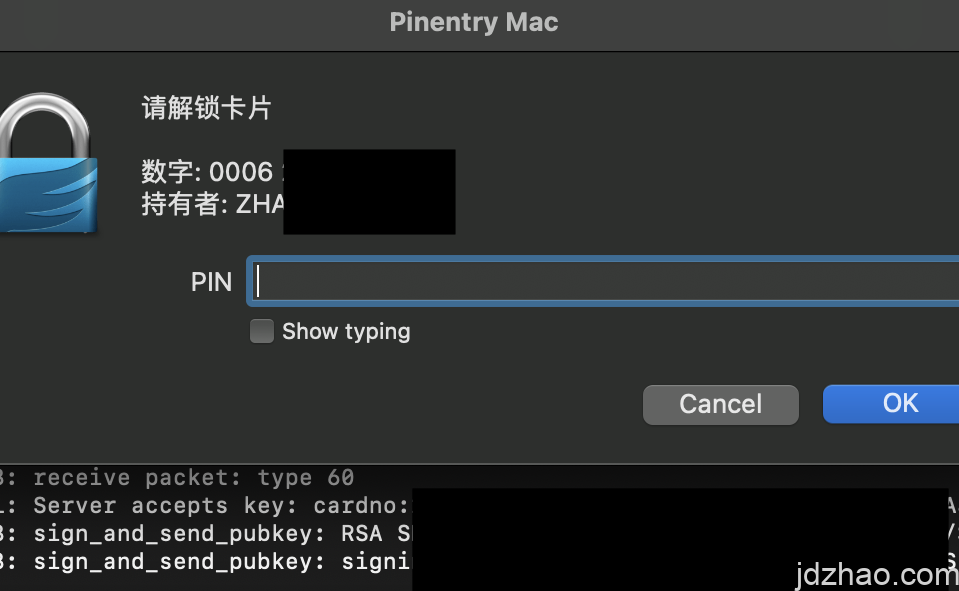
还记得在上一篇文章《YUBIKEY的GPG/PGP使用不完全实践》中,我们还生成了一个用于AUTH的子密钥么。
这个子密钥的一个用途就是通过GPG-AGENT的方式通过服务器的SSH身份验证,而不用单独去生成一组SSH密钥,便于我们统一管理。
今天基于MAC系统,我们来实践一下,首先插入你的YUBIKEY(没有也没关系,GPG软件也可以)
1.输入gpg –list-keys –keyid-format LONG ,我们要找到用于AUTH的子密钥 ID。
大概是这个样子:sub rsa4096/0*******************5E 2024-05-07 [A] [有效至:2029-05-06]
2.然后用任何文本编辑器打开~/.gnupg/gpg-agent.conf,加入enable-ssh-support,以便在gpg-agent中启用SSH支持。
3.将身份验证子密钥的键入到~/.gnupg/sshcontrol ,将刚刚的ID 0*******************5E 加入到~/.gnupg/sshcontrol
4.告诉终端使用gpg-agent套接字,而不是ssh-agent
export GPG_TTY=$(tty)
export SSH_AUTH_SOCK=$(gpgconf –list-dirs agent-ssh-socket)
gpgconf –launch gpg-agent
5.验证终端。执行ssh-add -l,应该能看到我们加入的子钥,如果没有,重启终端再试一下。
4096 SHA256:U****ifS/j********H5k cardno:20 567 787 (RSA) 【这说明是yubikey】
4096 SHA256:Uq***QWifS/j********H5k (none) (RSA)【这说明是本地的key】
6.导出公钥,要记得!这里不是用我们的GPG公钥
gpg –export-ssh-key i@jdzhao.com
将导出的公钥,添加到远程服务器上的~/.ssh/authorized_keys 文件中
7.大功告成,如果出现问题,请使用ssh -vvv root@1.1.1.1 -p 22,排查一下吧
总结:用GPG就是为了统一密钥管理,避免再来一组SSH密钥。而不选择更方便的FIDO2,则是因为FIDO2和硬件key绑定,没有后悔药,丢了就完蛋。


 ZH_CN
ZH_CN  EN
EN
发表回复